Hướng dẫn sử dụng mã đổi HSK Mock
Tiếng Trung - Cách sử dụng mã đổi HSK Mock
中文版 - 如何使用HSK Mock兑换码
Bạn có thể sử dụng Mã HSK Mock trên trình duyệt web trên máy tính hoặc ứng dụng di động.
You can use the HSK Mock Code on a Computer Web Browser or Mobile App.
1. Trên trình duyệt web máy tính
1. On Computer Web Browser
Step 1 · Visit Website
 Sử dụng trình duyệt trên máy tính (khuyến nghị Google Chrome hoặc Safari), truy cập trang web HSK Mock.
Using a computer browser (Google Chrome or Safari recommended), visit the HSK Mock website.
Click Log In / Sign up in the upper right corner.
Đối với người dùng ngoài Trung Quốc đại lục, vui lòng truy cập: hskmock.com
For users outside mainland China, please visit: hskmock.comĐối với người dùng tại Trung Quốc đại lục, vui lòng truy cập: hskmock.cn
For Mainland China users, please visit: hskmock.cn
*Cả hai nền tảng đều là nền tảng luyện thi HSK chính thức, cung cấp các bài thi thử HSK chất lượng cao dựa trên các đề thi thật trước đây.
*Both platforms are official HSK preparation platforms, offering the same high-quality HSK mock tests based on real past exams.
Step 2 · Register or Log in
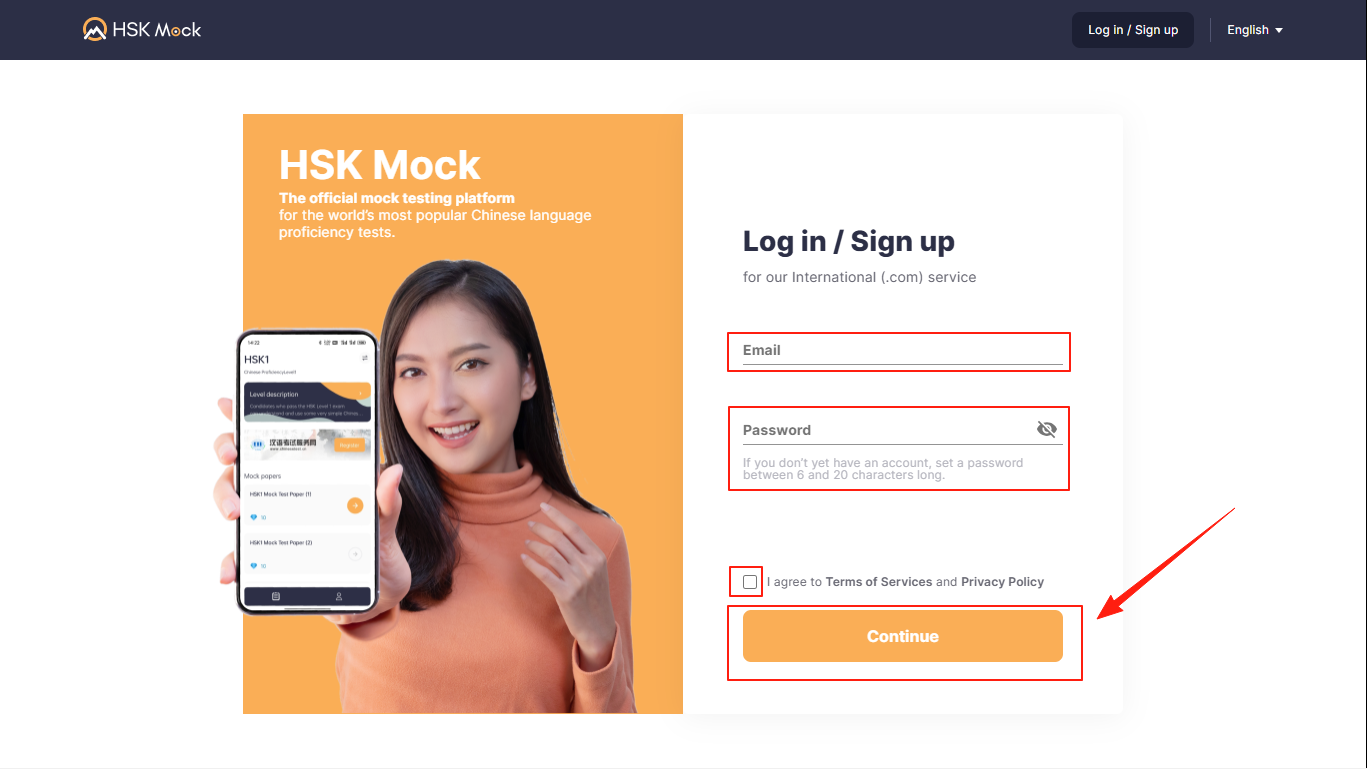
Enter your e-mail and password, check the terms and conditions, and click Continue.
Step 3 · Start

Click Start Practicing
Step 4 · Select Your Level
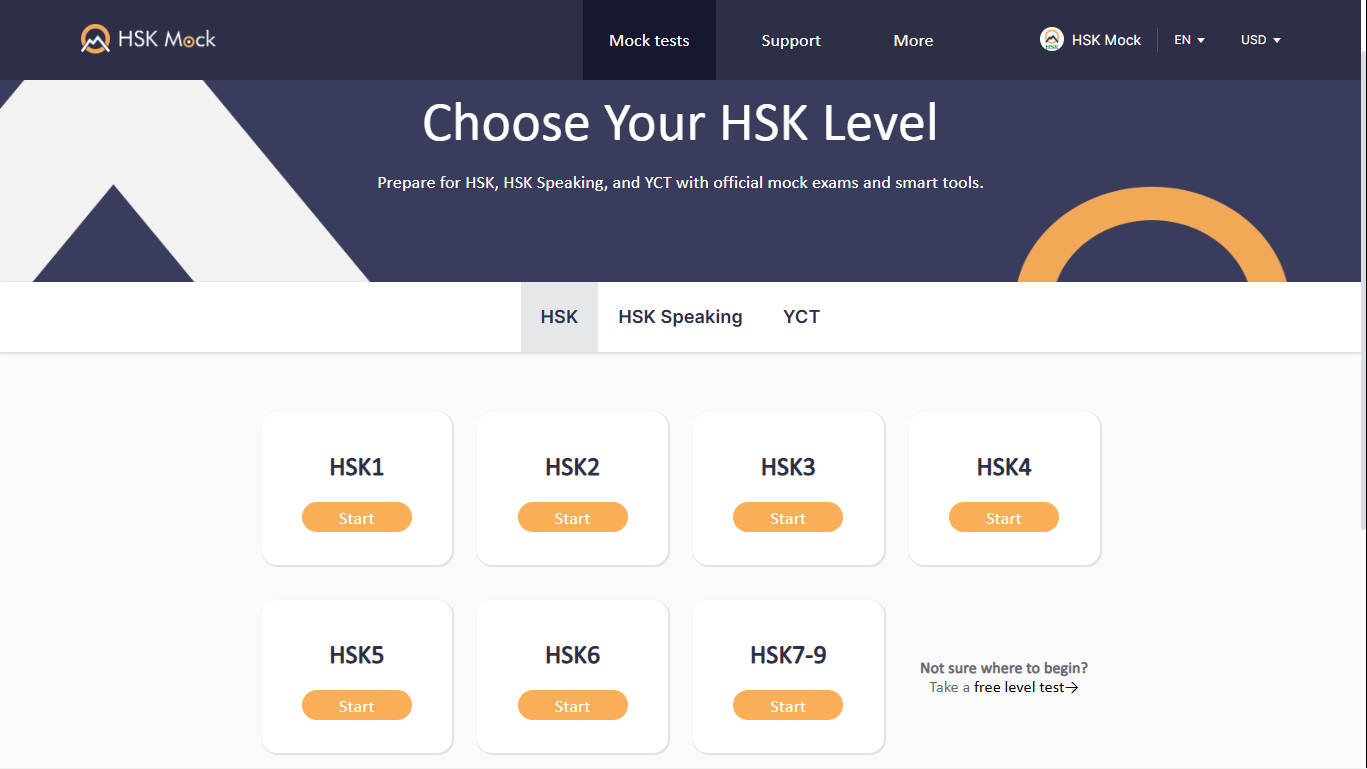
Click to select the level
Step 5 · Choose Your Paper
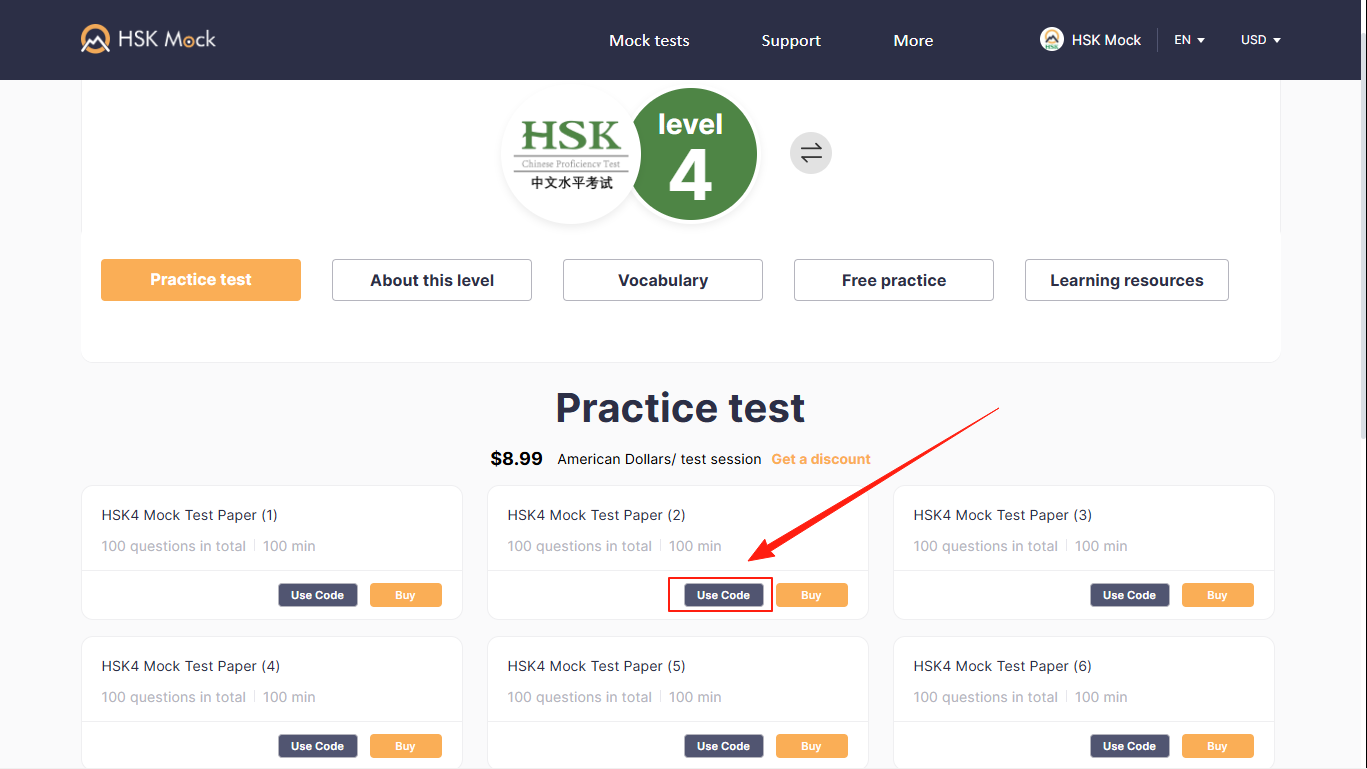
Select any paper you want to answer and click Use Code
Step 6 · Enter Your Code
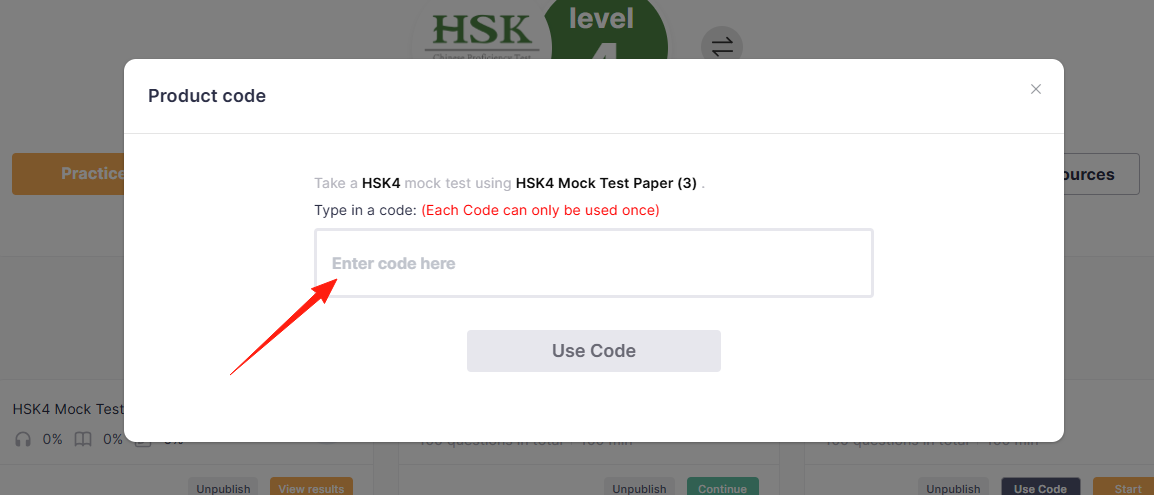
Enter Code and start answering!
2. Trên ứng dụng di động
2. On Mobile App
Step 1 · Download the App
Tải xuống phiên bản mới nhất của ứng dụng HSK Mock.
Download the latest version of HSK Mock App.
Nền tảng quốc tế:
International platform:

- Nền tảng Trung Quốc đại lục:
Mainland China platform:

Android: HSK Mock (China) | Apple: HSK Mock (China)
*Cả hai nền tảng đều là nền tảng luyện thi HSK chính thức, cung cấp các bài thi thử HSK chất lượng cao dựa trên các đề thi thật trước đây.
*Both platforms are official HSK preparation platforms, offering the same high-quality HSK mock tests based on real past exams.
Step 2 · Log In
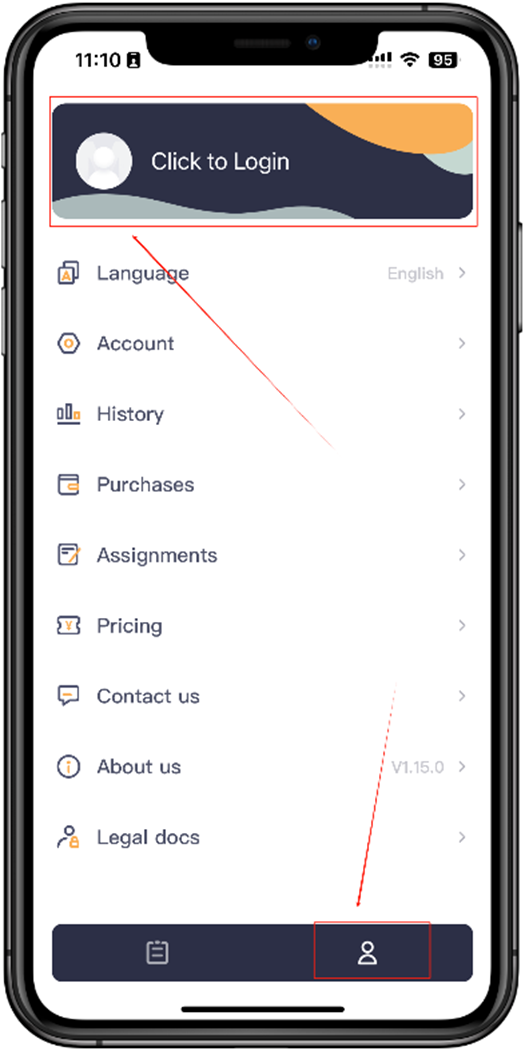
Tap the human icon at the bottom right, then tap Login at the top.
Step 3 · Enter Information
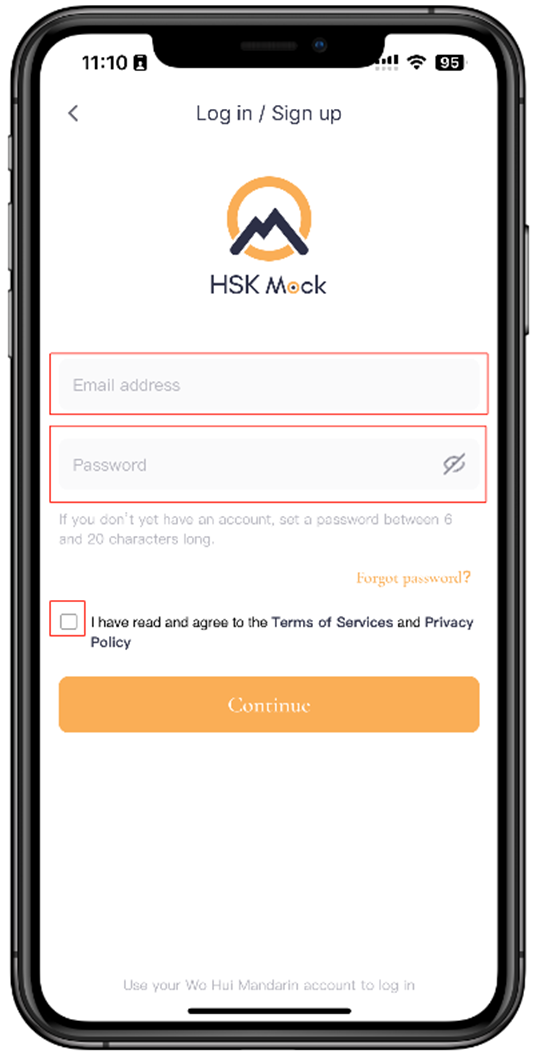
Enter your e-mail and password, check the terms and conditions, and tap Continue.
Step 4 · Level Switch
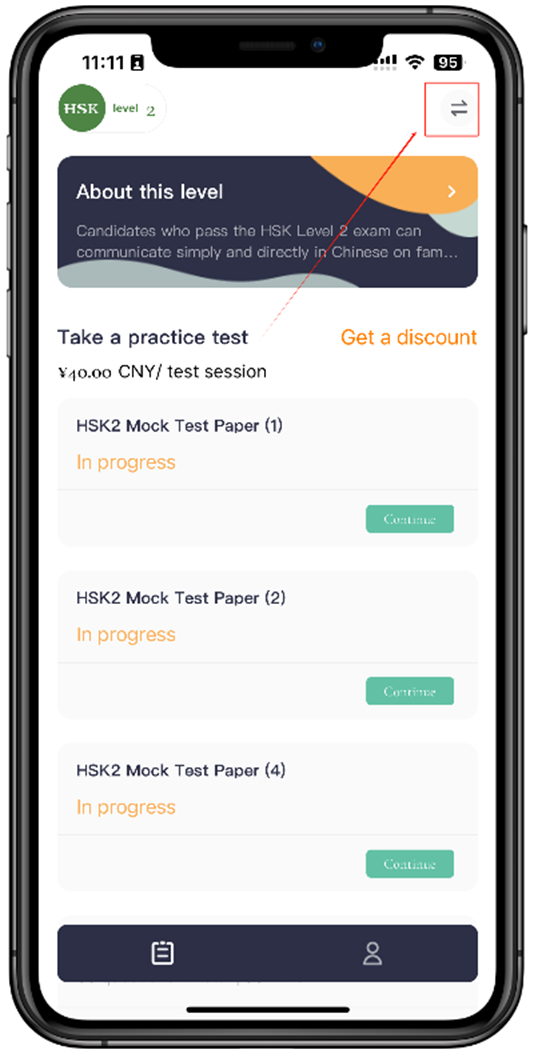
Tap the level selection button in the top right corner.
Step 5 · Select and Confirm Level
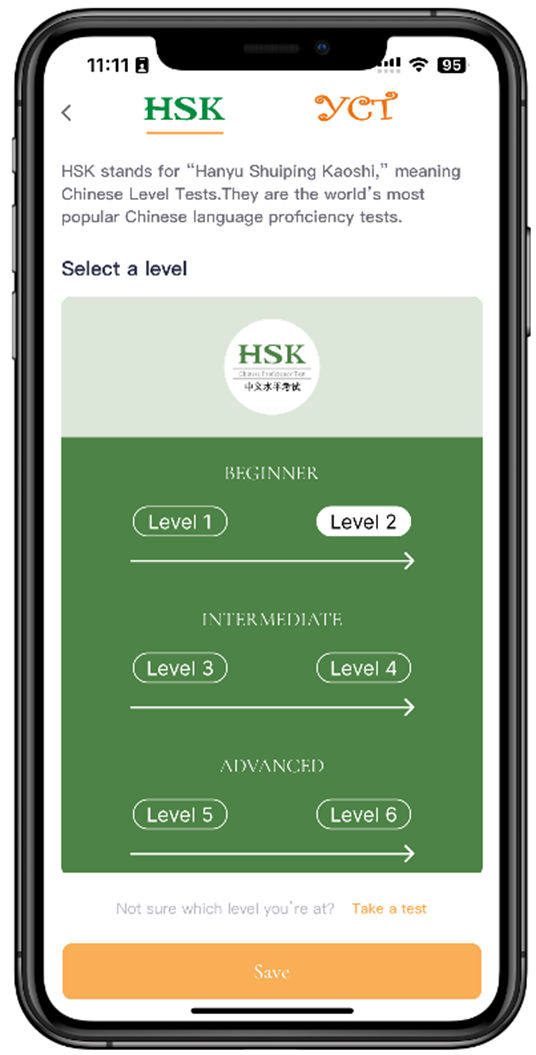
Select the level, then tap Save.
Step 6 · Use Code
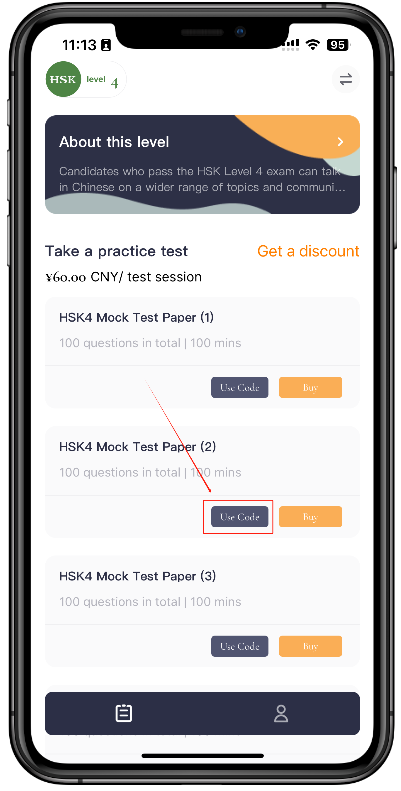
Select a paper and tap Use Code
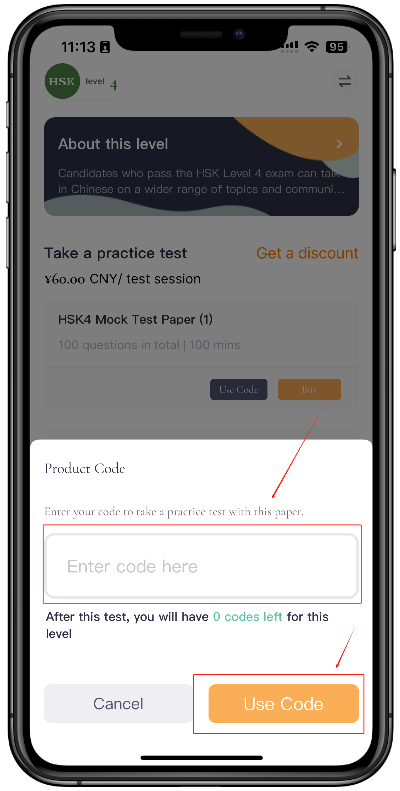
Enter Code to start answering.

